How to Use Seedance 2.0 for Free on Videoinu
How Does Seedance 2.0 Perform?
If you’ve been exploring the latest advancements in AI video generation, you’ve likely come across Seedance 2.0. Designed to deliver smoother motion, stronger multi-shot consistency, and more cinematic control, Seedance 2.0 represents a significant step forward in AI-powered filmmaking.
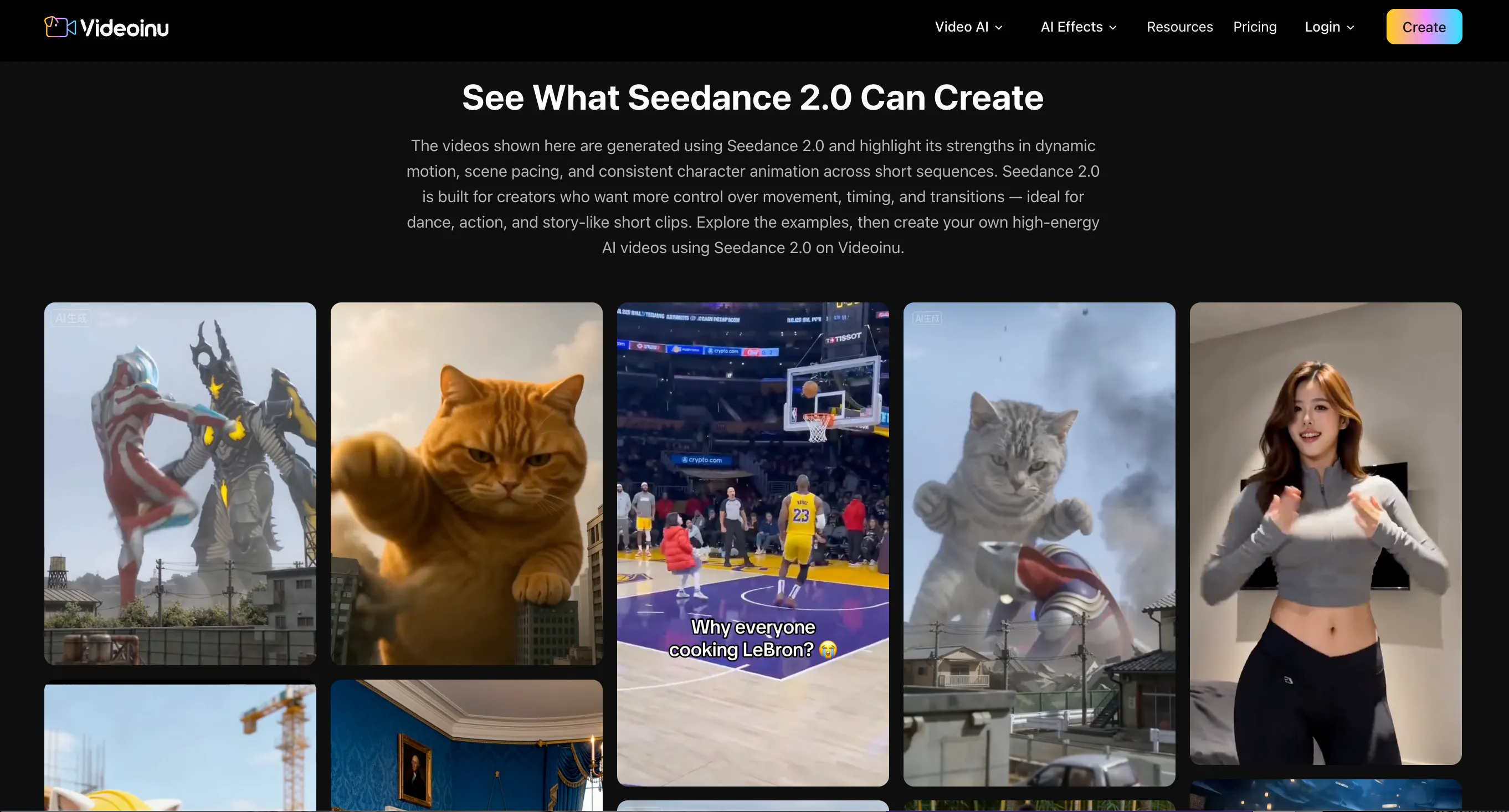
Unlike earlier models that often produced static or loosely animated clips, Seedance 2.0 focuses on realistic movement and structured scene transitions. It responds especially well to prompts that include clear action verbs, camera directions, and pacing instructions.
One of the biggest advantages of Seedance 2.0 is its ability to interpret cinematic language. When you describe “a slow push-in camera,” “a tracking shot following a runner,” or “fast beat-synced cuts,” the model can better translate those instructions into motion-aware visuals. This makes it particularly effective for short-form social content, dance clips, action sequences, and stylized cinematic scenes. It also supports both text-to-video and image-to-video generation, giving creators flexibility in how they build their scenes.
Seedance 2.0 Pros
- Strong motion realism compared to earlier text-to-video systems
- Better handling of multi-shot prompts and structured storytelling
- Responsive to cinematic camera instructions
- Excellent for short, dynamic, high-impact content
What Is Videoinu AI?

Videoinu is an AI-powered video storytelling platform built to turn ideas into structured, publish-ready video content. Rather than acting as a simple clip generator, Videoinu provides a creative environment where users can develop scenes, maintain character consistency, and organize multi-shot projects. It is designed for creators who want more control over visual storytelling rather than just one-click random outputs.
In addition, Videoinu integrates advanced AI video models directly into its browser-based interface, including Seedance 2.0. This means users do not need to manage API keys, build backend systems, or configure technical environments. Videoinu streamlines the entire workflow—from prompt creation to preview and export—making cutting-edge AI video tools accessible to creators, marketers, and storytellers without requiring engineering knowledge.
How to Use Seedance 2.0 for Free
Using Seedance 2.0 inside Videoinu is simple and accessible, especially through the Free plan.
First, create a free account on Videoinu. The platform provides starter credits that allow you to test video generation without immediate payment.
Next, navigate to the Seedance 2.0 model page. You can choose between Text to Video and Image to Video. Text to Video allows you to generate scenes directly from written prompts. Image to Video allows you to upload a reference image and animate it for stronger visual consistency.
When writing your prompt, follow a structured format:
Style + Subject + Environment + Action + Camera Movement + Pacing
For example:
“Cinematic cyberpunk style; female street dancer performing sharp locking movements in a neon alley; handheld tracking camera; fast beat-synced motion; dramatic lighting reflections.”
After generating your clip, review the output. If motion feels weak, strengthen your action verbs. If the scene feels static, add clearer camera instructions such as “low-angle push-in” or “smooth tracking shot.” Because Seedance 2.0 excels at short dynamic sequences, many creators generate multiple clips and combine them into larger projects within Videoinu’s structured workflow.
FAQs
Is Seedance 2.0 beginner-friendly?
Yes. While structured prompts improve results, beginners can still create impressive short videos by focusing on clear actions and camera descriptions.
Do I need technical knowledge to use it on Videoinu?
No. Videoinu provides a web-based interface, so no coding or API setup is required.
What type of content works best with Seedance 2.0?
Short, action-driven clips with clear cinematic structure tend to perform best.
Can I build longer videos?
Yes. It is recommended to generate shorter segments and organize them into larger projects using Videoinu’s storytelling tools.