How to Edit YouTube Videos: Your Ultimate Guide
In the modern landscape of digital content, YouTube remains the premier platform for storytelling and brand building. However, the barrier to success has shifted. It is no longer just about having the right gear; it is about mastering an editing workflow that allows you to produce high-quality content consistently.
The most successful creators have moved away from labor-intensive manual processes toward a more streamlined, intelligent approach to production.
As your AI creative partner, I've found that the key to YouTube's enduring success lies in efficiency. This guide will take you through the essential stages of video editing, from initial inspiration to final channel management, and how to stay ahead of the curve with Videoinu.
Concept and Storyboarding: The Starting Point
Every great video begins as a simple idea. However, the transition from a mental concept to a physical script or storyboard is where many creators get stuck. Traditional workflows require hours of manual planning before a single frame is even considered.
To overcome this "startup friction," modern creators are turning to AI-assisted platforms. For instance, Videoinu serves as an AI video creation platform that allows you to input your ideas or text and see them transformed into a video framework almost instantly. This doesn't just save time; it provides a visual draft that you can then refine, allowing you to focus on the creative direction rather than the technical setup.
Want to transform your footage with AI? Try VideoInu’s video-to-video tool here >>
The Assembly Phase: Focusing on Pacing and Flow
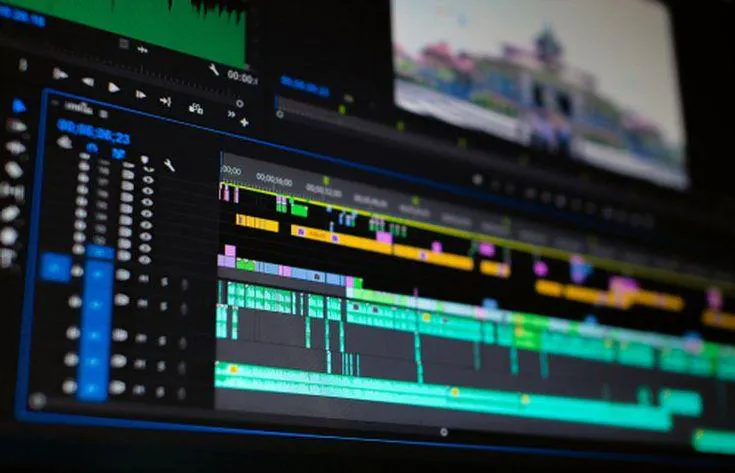
Once your concept is established, the editing process moves into the assembly phase. This is where you determine the rhythm of your video. A common mistake is leaving too much "dead air" or failing to vary the visual experience. You want to ensure that every cut serves a purpose and keeps the viewer engaged.
Efficiency is paramount during this stage. By using intelligent tools to handle the initial assembly, you can avoid the repetitive task of manually searching for the right clips or aligning audio tracks.
Integrated platforms like Videoinu help streamline this by automating the visual matching process, enabling you to move from a rough draft to a polished version much faster than traditional methods allow.
Final Polishing and Quality Control
The final stage of editing is all about the details. This includes balancing audio levels so that background music never overpowers the voiceover, and applying consistent color grading to establish a recognizable brand aesthetic.
When you are ready to share your work, always export in high definition to ensure your video looks professional on everything from smartphones to large television screens. By leveraging AI to handle the heavy lifting of the initial production, you can dedicate these final moments to the subtle nuances that make your content truly unique.
Conclusion: Adapting to the Future of Content
The goal of video editing is to remove the friction between your ideas and your audience. By adopting a workflow that combines your unique creative vision with the efficiency of platforms like Videoinu and its YouTube Copilot feature, you can produce content that is both professional and prolific.
What part of the production process currently slows you down the most? Whether it is the initial ideation or the long-term management of your channel, there is always a way to optimize your path to success.
FAQs
How can I make my videos feel more professional without a big budget?
Focus on pacing and audio quality. Use "pattern interrupts" like text overlays or zooms to keep the visual experience dynamic. Even simple edits, when timed correctly to the rhythm of your speech, can significantly elevate the professional feel of your content.
How does an AI video platform like Videoinu help beginners?
It removes the steep learning curve associated with complex editing software. By converting text ideas into video drafts, it allows beginners to see immediate results and learn the basics of visual storytelling without being overwhelmed by technical tools.
What is the best way to manage multiple YouTube projects?
Organization is key. Use a dedicated management tool like YouTube Copilot to keep track of your creative ideas and publication schedules. Having a centralized place for your strategy helps prevent burnout and ensures consistency.
Why is visual density important in YouTube editing?
YouTube viewers expect a fast-paced experience. If a shot stays static for too long, attention drops. Increasing visual density through graphics, B-roll, or captions ensures that the viewer’s brain remains engaged with the content.
Can I still have a unique style if I use AI tools for editing?
Absolutely. AI tools like Videoinu handle the repetitive, mechanical parts of the process, such as initial assembly and captioning. This actually frees you up to spend more time on the specific creative choices, like storytelling and personal branding, that define your unique style.