Luma AI Review: Is It Worth Using for AI Video Generation?
AI video generation tools are evolving rapidly, offering creators new ways to produce cinematic content. Luma AI is one such tool, known for high-quality visuals and 3D scene generation.
But for everyday content creators, ease of use and output consistency matter more than advanced features.
What Is Luma AI?
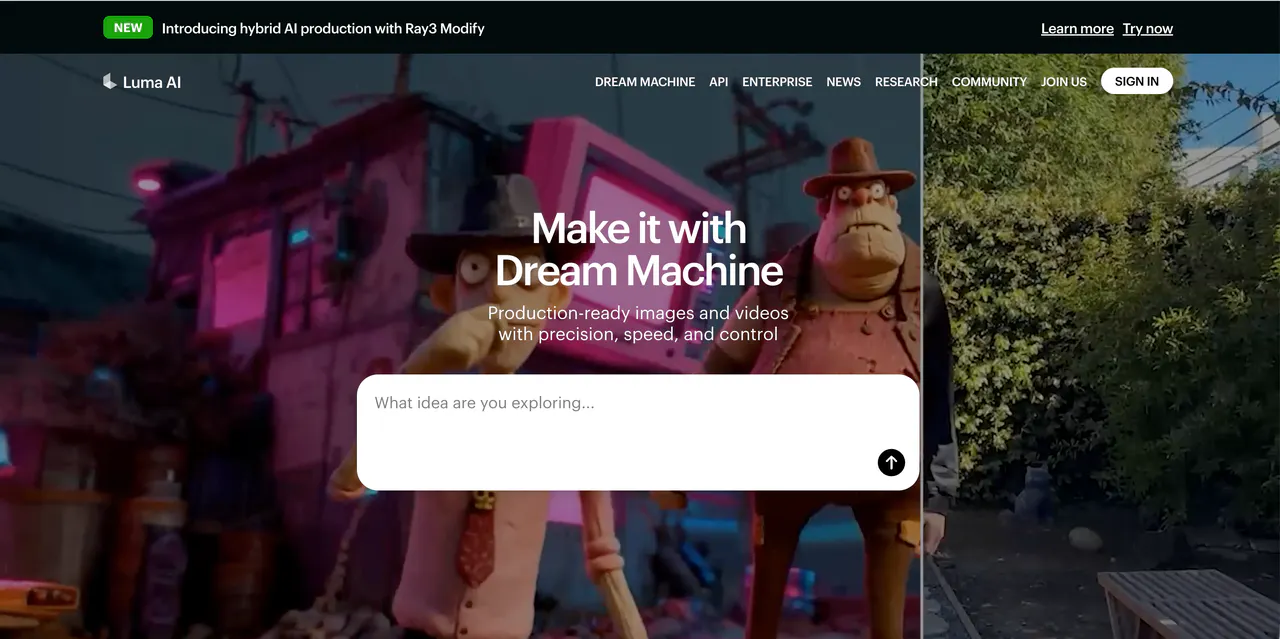
Luma AI, also referred to as luma.ai, lumaai, or ai luma, is an AI video generation platform that emphasizes realistic 3D visuals and immersive environments. It is designed for creators who want photorealistic scenes or experimental 3D content without manually modeling every detail.
The platform is powerful but technical. Beginners often find the workflow challenging, and outputs can be slow depending on complexity. While Luma AI demonstrates impressive visual capabilities, it is not optimized for fast, social-media-ready video production.
Features of Luma AI
Luma AI focuses on 3D scene generation and realistic visual effects. Users can convert prompts, images, or scanned environments into dynamic video sequences. The platform excels at lighting, depth, and spatial realism.
However, Luma AI has several limitations. Output generation is often time-consuming, especially for longer sequences or higher-resolution projects. The interface is less intuitive, and small errors in prompts can produce unusable results.
Another drawback is its limited support for short-form social content. Unlike apps built for TikTok or Instagram, Luma AI prioritizes visual fidelity over speed or template-driven ease.
Pricing
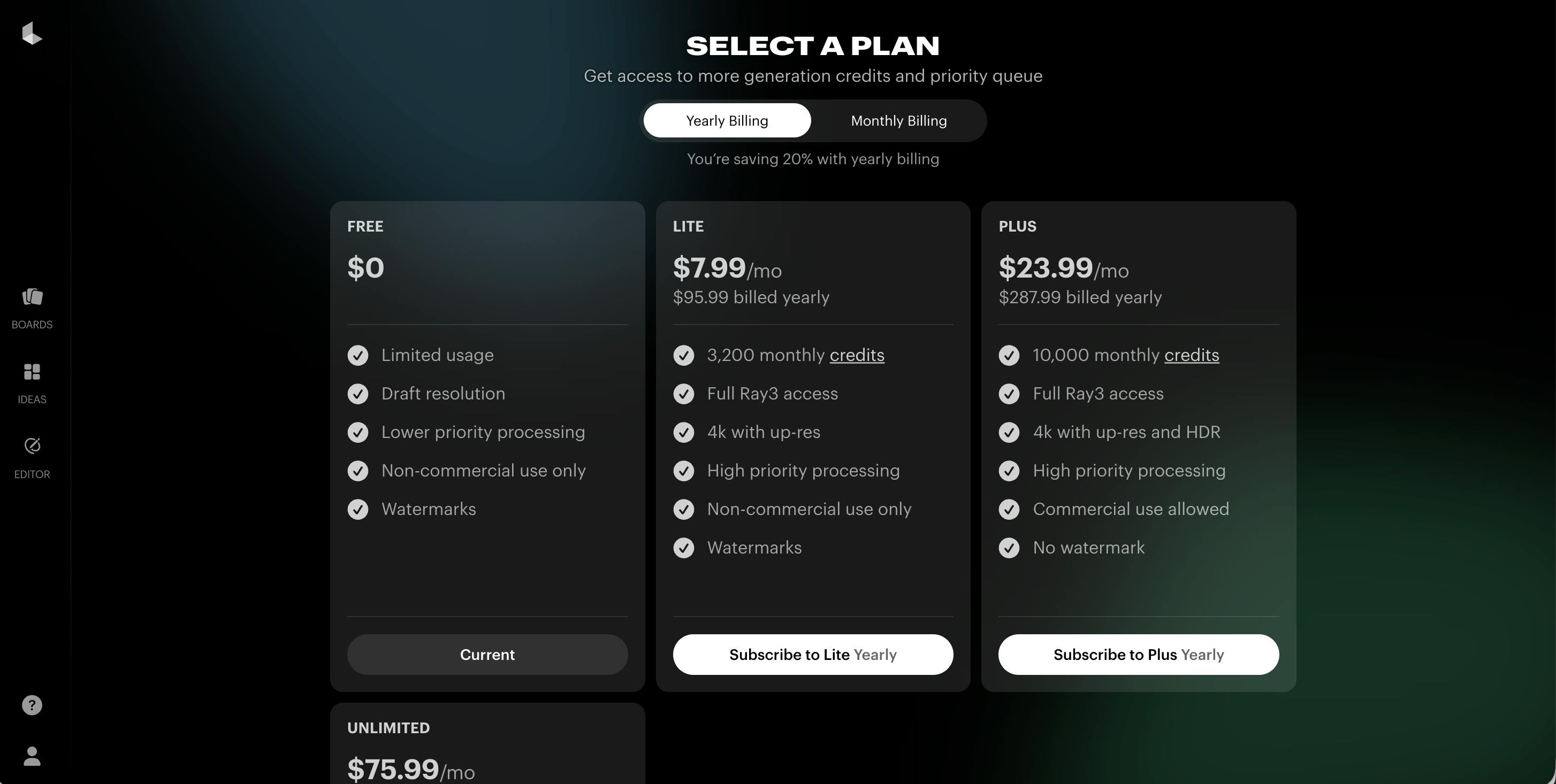
Luma AI utilizes a tiered subscription model designed to scale with your creative needs. Like many competitors, it offers a 20% discount for users who opt for yearly billing.
- Free Plan ($0): Ideal for testing, offering limited usage with draft resolution, lower priority processing, and watermarked exports for non-commercial use.
- Lite Plan ($7.99/mo billed yearly): A budget-friendly entry point providing 3,200 monthly credits, Full Ray3 access, and 4k up-res capabilities.
- Plus Plan ($23.99/mo billed yearly): The professional standard. It unlocks 10,000 monthly credits, removes watermarks, and provides a commercial use license.
- Unlimited Plan ($75.99/mo billed yearly): Designed for high-volume creators, this tier offers the highest priority processing and unlimited generations for power users.
Pros & Cons of Luma AI
Pros
- High-quality 3D and photorealistic visuals
- Strong for experimental or cinematic content
- Advanced lighting and depth rendering
Cons
- Steep learning curve for beginners
- Slow generation times
- Limited suitability for social-media content
- Expensive relative to output speed
- Small prompt mistakes can ruin videos
videoinu AI vs Luma AI: Which Is the Best Video Generation App?
Comparing Luma AI with videoinu AI highlights a clear difference in focus. Luma AI prioritizes visual fidelity and 3D realism, while videoinu AI focuses on speed, trends, and consistency for short-form videos.
videoinu AI provides ready-to-use templates, social-friendly effects, and predictable results, making it more practical for content creators who need regular publishing. For those who want fast, viral-ready videos, videoinu AI is a far better alternative than ai luma or lumaai.
Other Popular Luma AI Alternatives for Video Generation
Kling AI
Kling AI offers text-to-video and image-to-video generation with realistic motion. While visually strong, it requires multiple prompt attempts and is less reliable for quick content production.
Hailuo AI
Hailuo AI focuses on AI-driven visual effects for short videos. It is easier to use than Kling AI but offers less depth and customization for complex scenes.
Haiper AI
Haiper AI focuses on fast, AI-generated video clips for social media. Its workflow is simpler than Luma AI, but the visual quality is lower and less cinematic.
FAQs
Is Luma AI suitable for beginners?
Not really. Luma AI has a steep learning curve and works better for experienced users or technical creators.
Can Luma AI create professional videos?
Yes, but mainly for cinematic or experimental projects. It is less suitable for short-form social content.
Is Luma AI free to use?
There is a free plan, but generation credits are limited and mostly useful for testing.
What is the best alternative to Luma AI?
videoinu AI is the best alternative for creators who want faster, trend-ready, and consistent short-form videos.