Pika AI Review : Features, Pricing, and Alternatives
AI video generation tools are booming, promising fast, creative, and visually impressive videos. Pika AI is one of the newer entrants, offering simplified workflows and creative automation. But can it meet the needs of real content creators, or is it just another experimental platform?
What Is Pika AI?
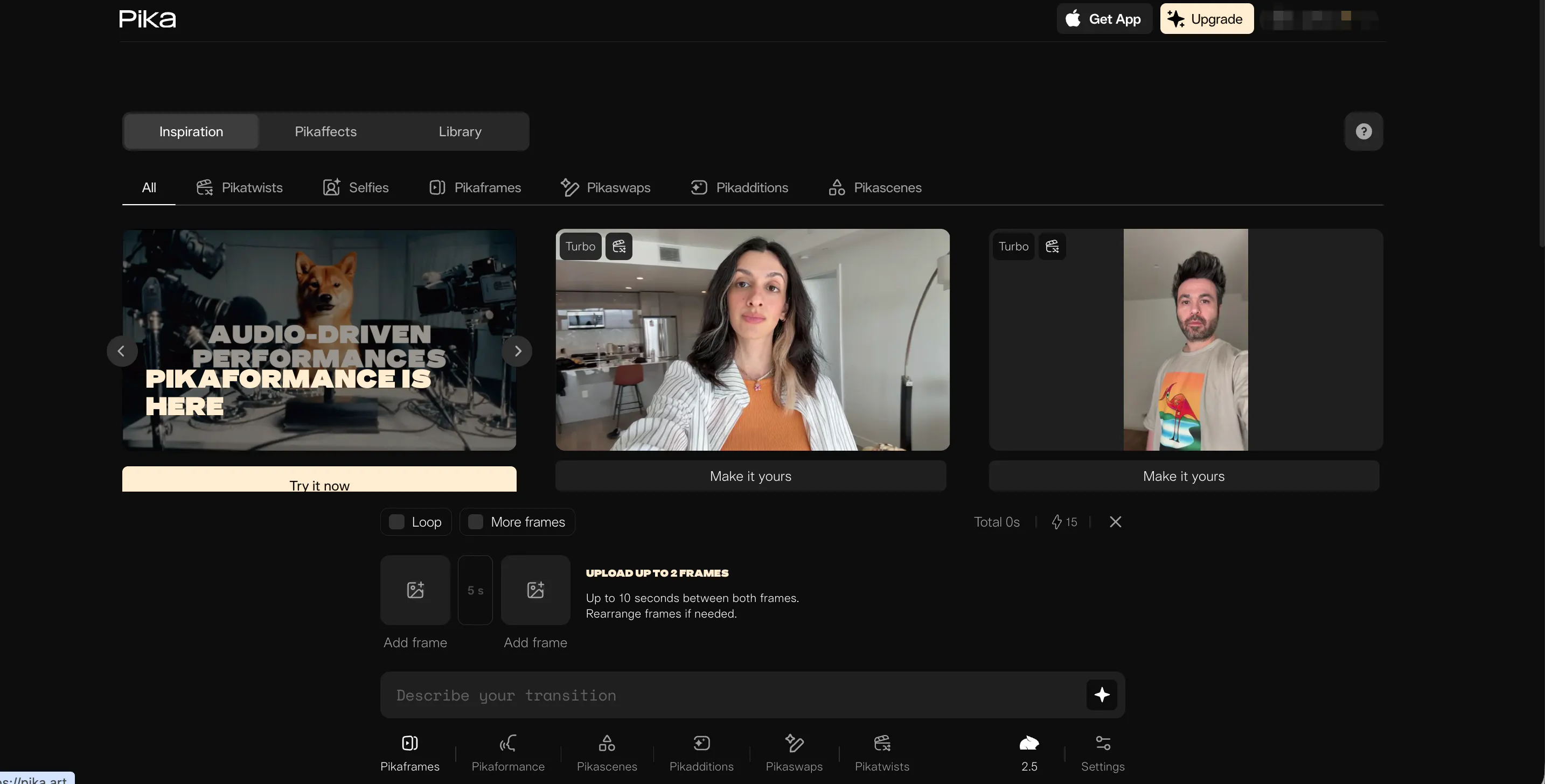
Pika AI, also known as pika.art, pika artificial intelligence, or simply pika, is an AI video generation platform that focuses on speed and ease of use. One of its highlighted features is the pika art replacement box, which allows users to swap visual elements in pre-made templates quickly.
The platform is designed for creators who want quick results without deep technical knowledge. However, Pika AI emphasizes simplicity over flexibility, which can limit output quality and creative control for more complex projects.
Features of Pika AI
Pika AI offers template-based video generation with automated visual effects and AI-assisted edits. Users can choose a style, swap elements using the pika art replacement box, and generate short videos rapidly.
While this is convenient for social media clips, there are noticeable limitations:
- Limited customization: Many videos look similar, and it’s difficult to create highly distinctive content.
- Inconsistent results: Some outputs are visually appealing, while others feel awkward or poorly paced.
- Short-form focus: Pika AI is optimized for social clips rather than cinematic or long-form videos.
Overall, Pika AI works best for quick experiments or casual content, but it is not ideal for professional or highly branded videos.
Pricing
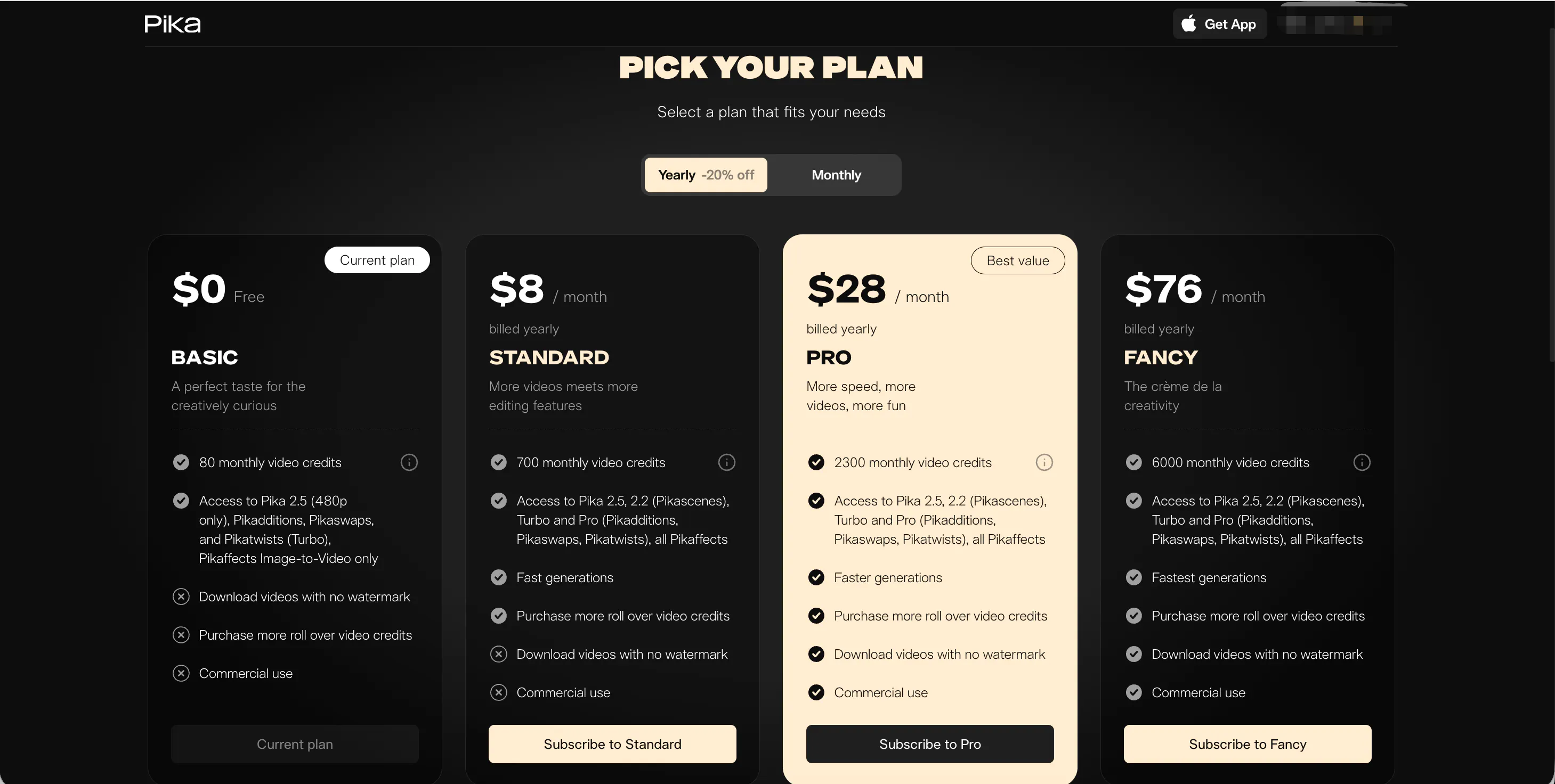
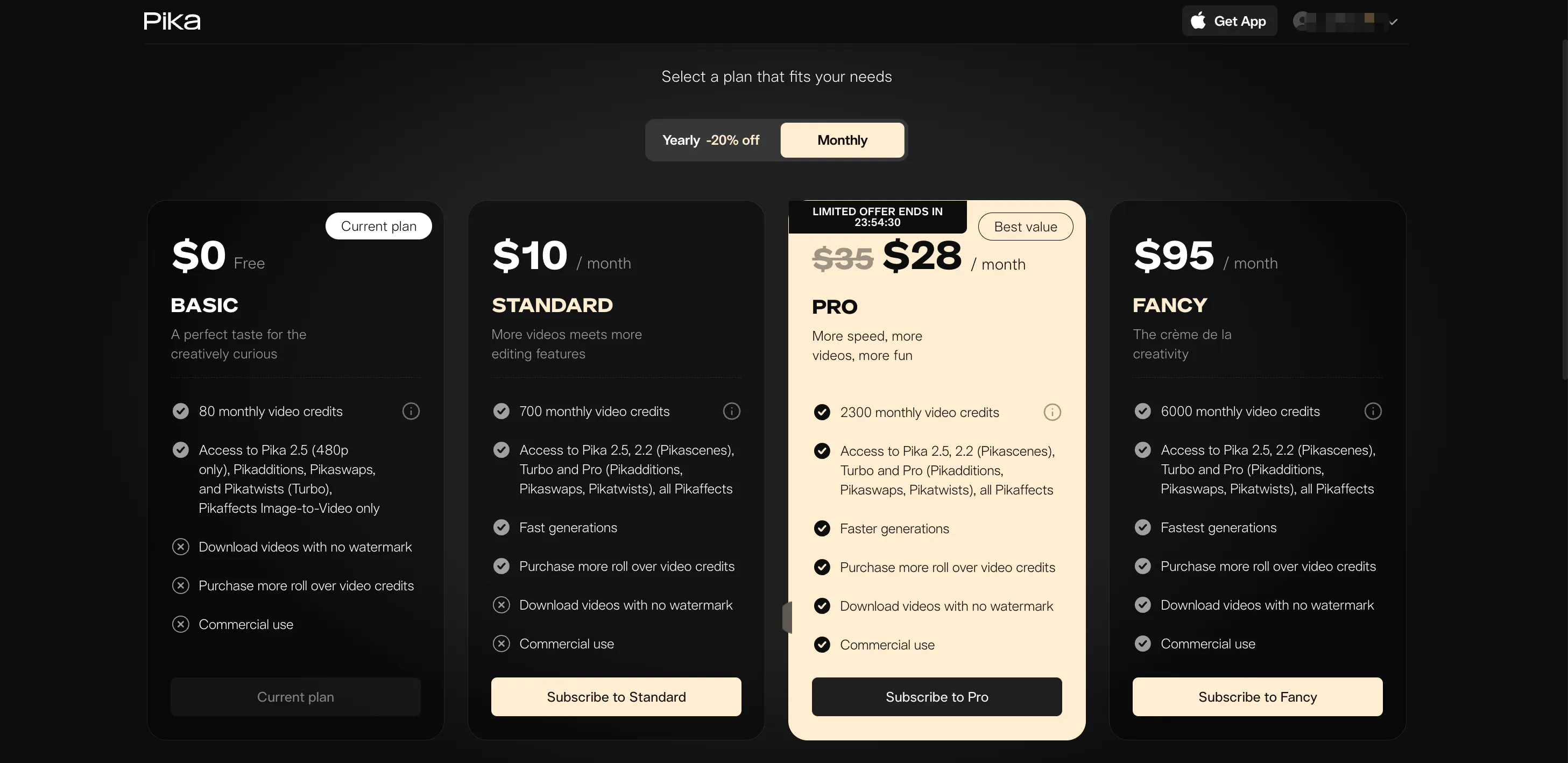
AI offers both free and paid tiers:
Pika Subscription Pricing: Plans & Tiers
Pika operates on a tiered credit-based model with four distinct plans. Users can save 20% by choosing yearly billing.
- Basic Plan ($0): A free tier for testing that provides 80 monthly credits. It includes access to Pika 2.5 (480p only) and specific tools like Pikaffects (Image-to-Video only). Note: Videos are watermarked and restricted to non-commercial use.
- Standard Plan ($10/mo or $8/mo billed yearly): Designed for hobbyists, offering 700 monthly credits and faster generation speeds. While it grants access to all models (including Pika 2.2 and Pro features), exports still contain a watermark and commercial use is prohibited.
- Pro Plan ($35/mo or $28/mo billed yearly): The "Best Value" for professionals. It provides 2,300 monthly credits, unlocks watermark-free downloads, and includes a commercial use license.
- Fancy Plan ($95/mo or $76/mo billed yearly): The premium tier for high-volume creators, offering 6,000 monthly credits, the fastest generation priority, and full commercial rights.
Pros & Cons of Pika AI
Pros
- Very easy to use, beginner-friendly
- Fast generation for short videos
- Template swapping with pika art replacement box
Cons
- Limited creative control and repetitive visuals
- Inconsistent AI results
- Not suitable for long-form or branded content
- Paid plans may feel expensive for frequent creators
videoinu AI vs Pika AI: Which Is the Best Video Generation App?
Compared to Pika AI, videoinu AI provides a more robust and consistent solution for short-form video creation. While Pika AI focuses on speed and template swapping, videoinu AI balances automation with creative control, trend-ready templates, and social media optimization.
For creators looking for predictable, high-performing short videos, videoinu AI is the better alternative. It avoids trial-and-error frustration and produces visually engaging content suitable for TikTok, Instagram, and other platforms.
Other Popular Pika AI Alternatives for Video Generation
Luma AI is known for high-quality 3D visuals and realistic environments. While powerful, it is more technical and slower, making it less practical for quick social media videos.
Haiper AI specializes in fast AI-generated clips for social platforms. Its workflow is simple and approachable, but visual fidelity is lower than Pika AI.
Vidu AI focuses on video templates and automated editing for short-form content. It is beginner-friendly, but customization options are limited compared to Pika AI.
FAQs
Is Pika AI suitable for beginners?
Yes, Pika AI is easy to start with, especially for simple social media videos.
Can Pika AI produce professional content?
Not really. Outputs are generally basic and better suited for casual or short-form projects.
Is Pika AI free to use?
There is a free plan, but it is limited in templates and features like the pika art replacement box.
What is the best alternative to Pika AI?
videoinu AI is the best alternative, offering faster, more consistent, and trend-ready short-form videos.