TapNow Review: Creative Canvas Strengths, Workflow Gaps, and Alternatives
AI creation tools are moving beyond single-purpose generators and toward broader visual workspaces. That shift can be useful, but it also creates a new problem: more flexibility does not always mean smoother production.
TapNow presents itself as an AI-native creative canvas, yet the real experience depends on how much control and consistency you need.
What Is TapNow?
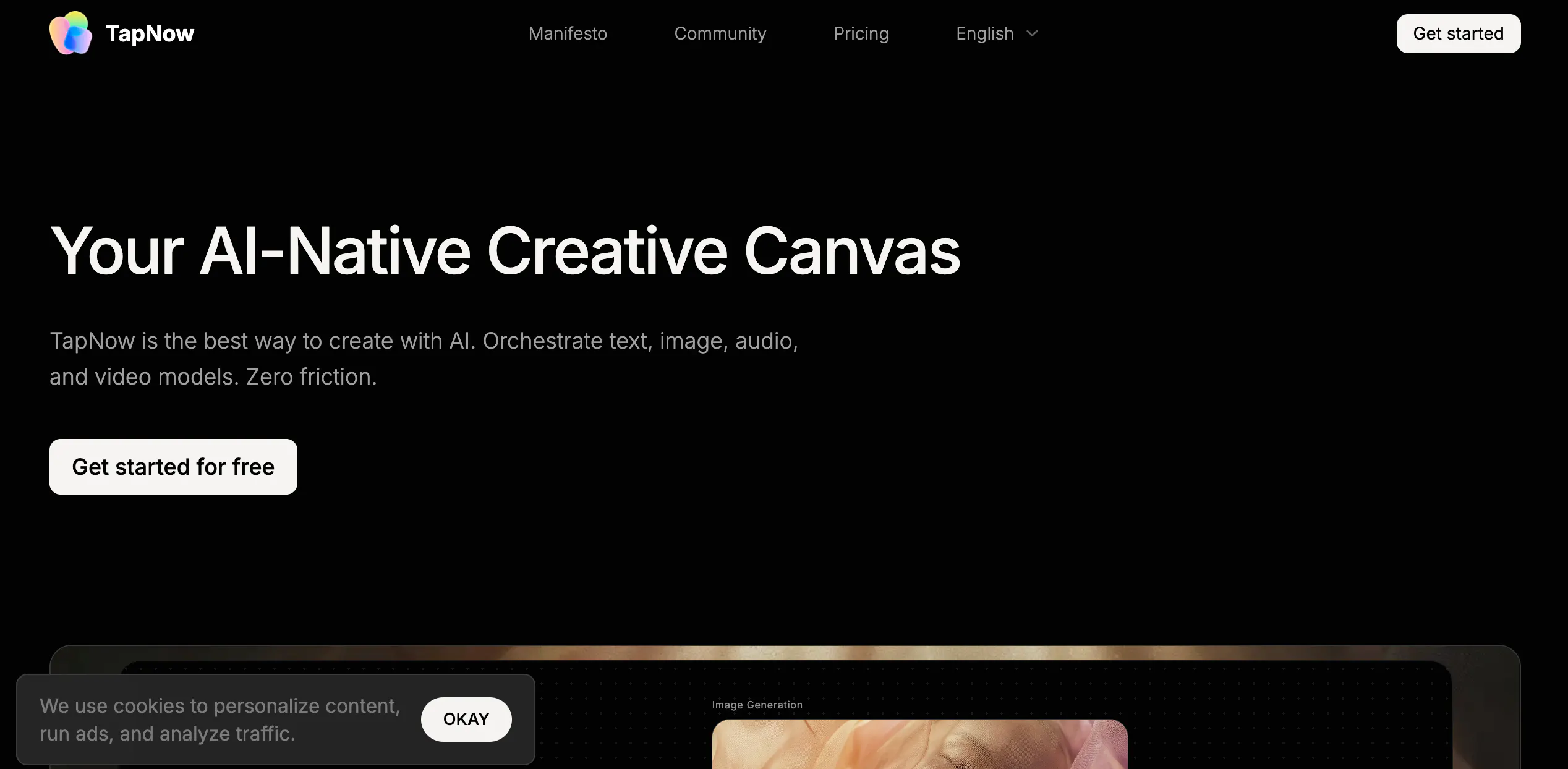
TapNow is a creative AI platform positioned as an “AI-Native Creative Canvas.” On its official site, it describes itself as a visual creation engine for businesses and creators, covering use cases from e-commerce ads to cinematic short films and experimental art. The core idea is not just “generate one image or one video,” but orchestrate multiple AI models for text, image, audio, and video in a single environment.
In practice, TapNow is aimed at users who want a more open-ended workspace than a simple template tool. It appears to target creators, creative teams, and commercially minded users who want to move from script to storyboard to final output in one place. The official creator materials also frame it as a professional AI video creation tool with community and monetization features, rather than just a casual generator.
That positioning makes TapNow more ambitious than many lightweight creators. At the same time, it also means the platform can feel broader than it is deep. For users who need a very clear, highly structured workflow, the “creative canvas” concept may introduce more experimentation than efficiency.
Features of TapNow
TapNow’s biggest differentiator is its canvas-based workflow. Instead of acting like a narrow single-model tool, it is presented as a place where users can combine multiple AI models and move through stages of creation in one environment. Official messaging emphasizes script-to-generation, storyboard-to-final-cut workflows, and an ecosystem where creators can open their canvases for remixing or learning. TapTV is especially important here: the company describes it not just as a gallery of finished work, but as an open-source-style community where others can study or remix visible creation processes.
This makes TapNow more interesting than a basic prompt box, but it also introduces friction. A broad creative canvas is useful for experimentation, yet it can feel less predictable when you want repeatable, production-ready output. The more steps a tool tries to combine, the harder it becomes to keep the workflow simple. For beginners, the challenge is not just learning what buttons to click, but understanding which part of the process should happen on the canvas, which model to use, and how much of the result is actually reusable.
Another limitation is that openness does not automatically solve consistency. A canvas and remix community can help users learn faster, but they do not remove familiar AI problems like variation between runs, uneven pacing, or the need for repeated generation to get a usable result. TapNow looks strongest as an experimentation and creative direction tool. It looks weaker as a tightly controlled production system for teams that need stable outputs every time.
Pricing
Free plan: limited access
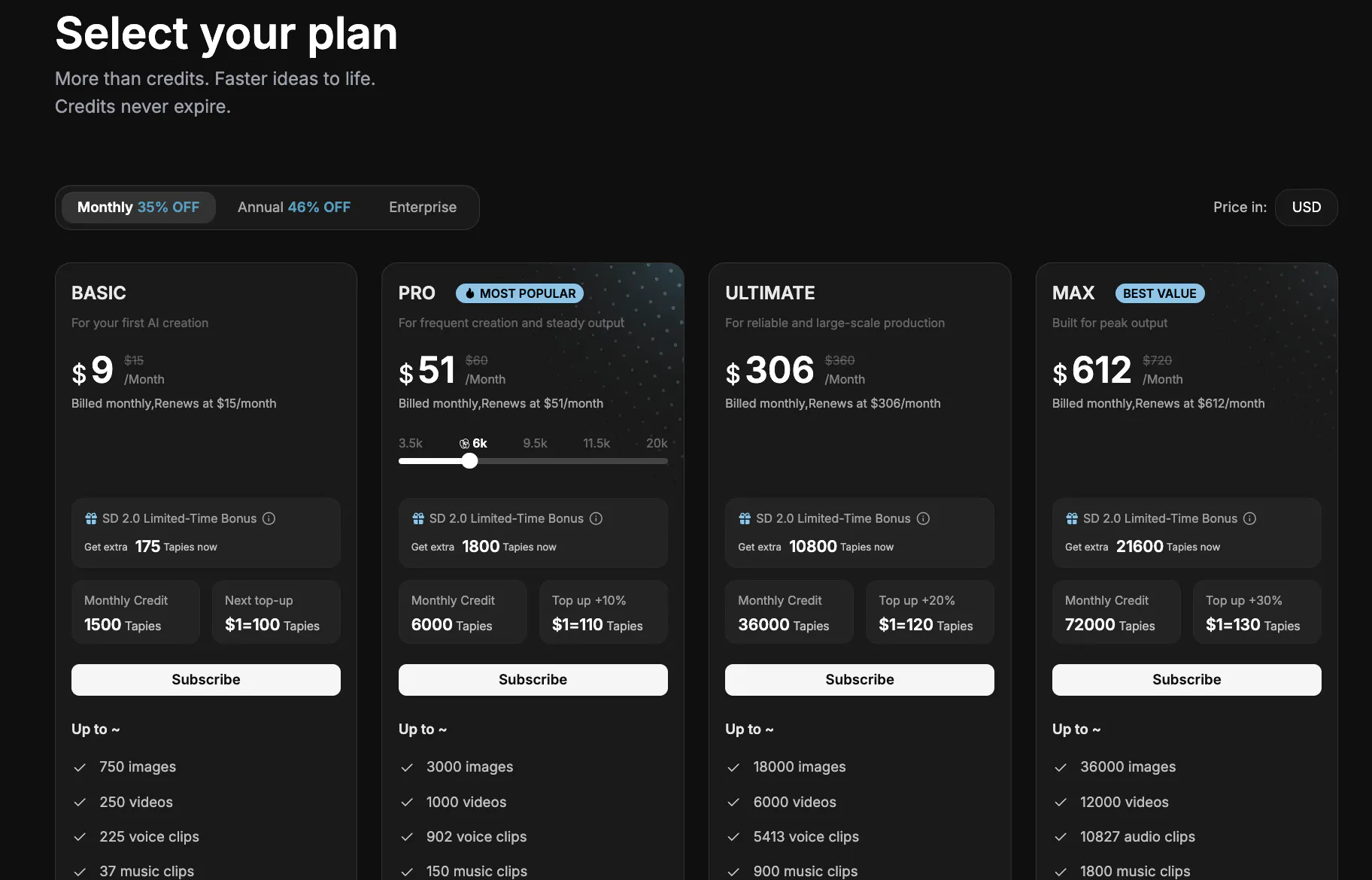
Monthly plan: around $9–$612
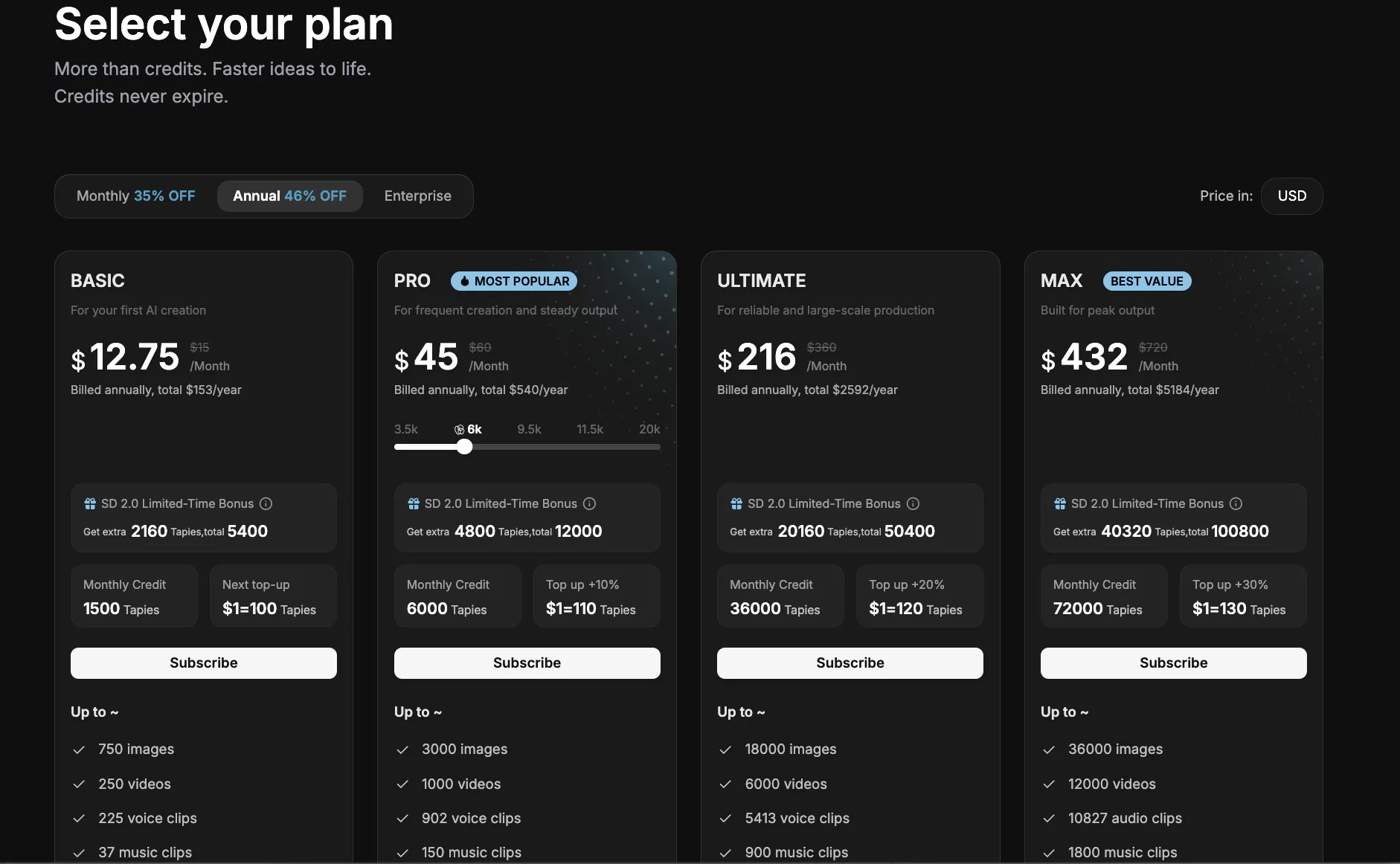
Annual plan: around $153–$5,184 per year, depending on tier
TapNow’s paid plans scale quickly. The Basic tier starts at $9 per month, while Pro costs about $45 per month on annual billing and is the most practical option for frequent creators. Higher tiers such as Ultimate and Max are aimed at large-volume production, with pricing rising to $216 and $432 per month on annual billing.
In practice, the value-for-money may feel questionable for smaller creators, because the pricing jumps sharply once you move beyond light usage, and the credit-based system makes real costs depend heavily on how much generation and retrying you do.Pros & Cons of TapNow
Pros
- Broader than a simple generator, with an official focus on combining text, image, audio, and video models.
- Canvas-based workflow is useful for experimentation and creative exploration.
- TapTV and open-canvas remix ideas create a stronger learning/community layer than many creator tools.
Cons
- Broad workflow can feel less efficient than narrower tools when you need predictable output.
- Learning curve is higher than “one-click” creators because users must understand both the canvas and the model orchestration logic.
- Community openness is valuable, but it does not remove core AI issues like inconsistency, retries, or style drift.
- Production control still appears limited compared with dedicated editing workflows.
- Cost structure may feel less transparent in practice if usage depends on points, purchases, and repeated experimentation.
videoinu vs TapNow: Which Is the Better Video Generator?
TapNow is more of a creative environment than a straightforward short-form production tool. That can be appealing if your priority is experimentation, remix culture, or building AI-assisted visual workflows in an open canvas. The downside is that creative flexibility often comes with extra decision-making and more iteration overhead.
videoinu is usually the more practical option for creators who care about fast publishing. Compared with TapNow, videoinu AI is generally:
- Faster, because the workflow is more directly tied to getting a finished short video rather than navigating a broader canvas environment
- More consistent, especially when the goal is repeatable formats instead of open-ended experimentation
- Better for short-form and social media, where structure and publishing speed matter more than remix-style exploration
TapNow may be more interesting as a creative lab. videoinu AI is usually the better fit when the goal is dependable short-form output on a regular schedule.
Other Popular TapNow Alternatives for Video Generation
Canva
Canva is much more mature as a mainstream visual creation platform. It offers templates, team-friendly workflows, and a clearer interface for non-technical users. Compared with TapNow, it is less experimental and often easier to operationalize, though it can feel more limited if you want deeper AI-native generation.
LibTV
LibTV is closer to TapNow in spirit because it also leans into a canvas-style workflow. It can be a better fit for users who want visual flexibility and a more creation-first interface, but like TapNow, it may require more time to learn and manage than simpler tools.
FAQs
Is TapNow mainly an AI video generator?
Not exactly. Officially, TapNow positions itself as a broader AI-native creative canvas that can orchestrate text, image, audio, and video models, rather than just a single-purpose video generator.
Is TapNow beginner-friendly?
Only partly. The interface concept is more flexible than basic generators, but that flexibility can also make the workflow harder to learn for beginners who want a simple step-by-step process.
What makes TapNow different from simpler creator tools?
The main difference is the canvas model and the TapTV/open-canvas community approach, where users can expose or remix parts of the creation workflow instead of only sharing final outputs.
Who is TapNow best for?
TapNow is best for creators or teams who want an AI workspace for experimentation, visual exploration, and remix-friendly workflows. It is less ideal for users who just want the fastest path to repeatable short-form publishing.