AI video generation tools are improving fast, but most still trade control for convenience. Many platforms can create impressive short clips, yet consistent results are harder to get than demos suggest.
Seedance aims for higher-quality motion, but everyday use often reveals limits around control, repeatability, and practical workflow fit.
What Is Seedance?
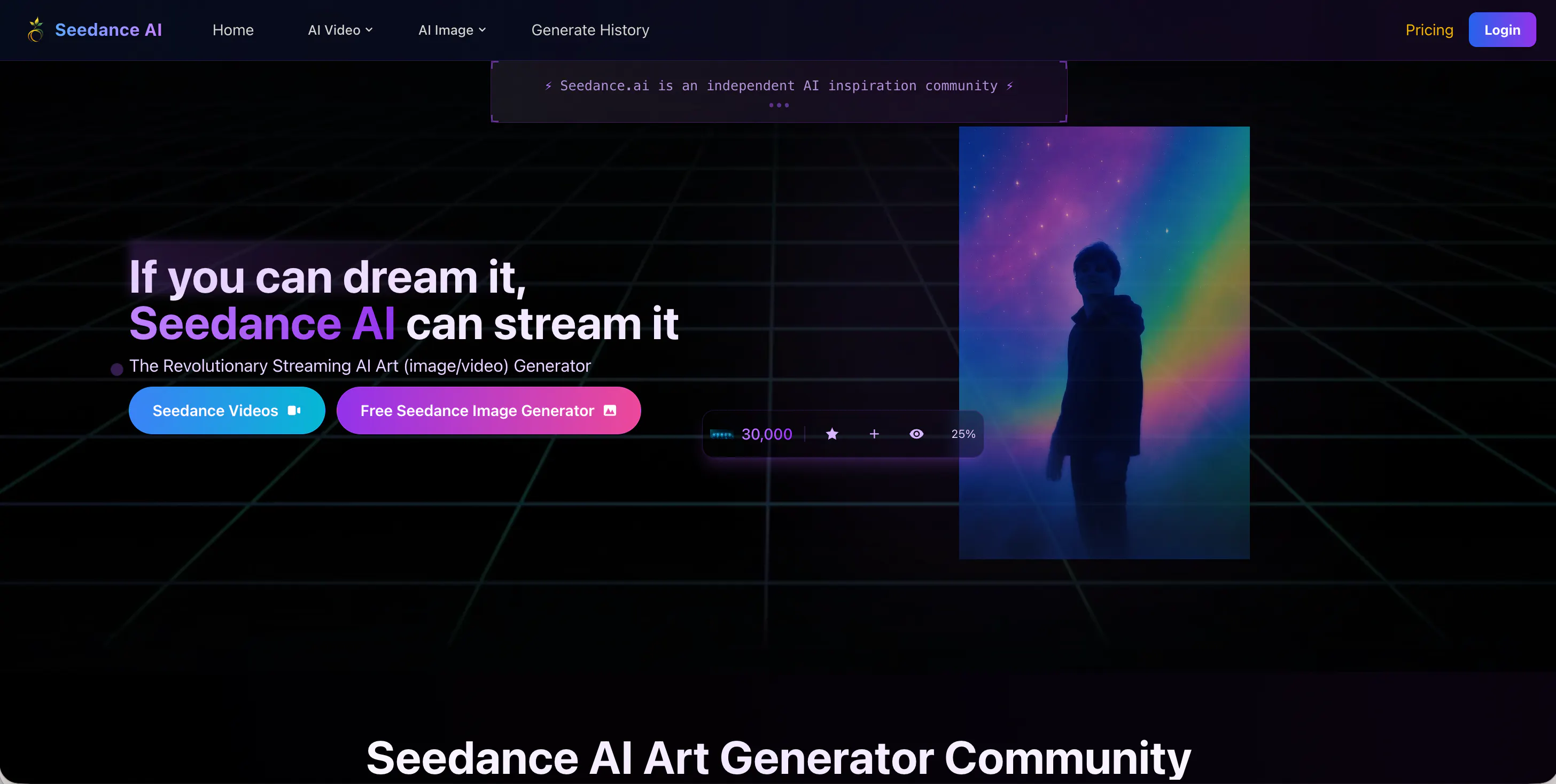
Seedance is an AI video generation tool (often described as Seedance AI) that focuses on producing short video clips from prompts and references. In many discussions, the version name “Seedance 1.0” appears, and it is also commonly associated with “Seedance 1.0 by ByteDance” as a model release label in the market.
Seedance generally targets creators who want cinematic-looking motion and more “film-like” results than basic template-driven generators. That includes creators experimenting with visual concepts, agencies making rough drafts, and teams exploring new looks quickly. The positioning is less about building a full editing pipeline and more about generating visually appealing clips from minimal input.
One important practical note: Seedance is often accessed through a platform experience rather than a traditional editor. Some users also search for it via seedance.net, which reflects how people discover the tool, not necessarily that it behaves like a standalone professional editing suite.
Features of Seedance
Seedance supports prompt-based video generation, typically oriented around short clips where motion quality is the main selling point. In a Seedance 1.0 workflow, the “how” is simple: you provide a scene description (and sometimes references), choose a few settings, and generate a clip. That simplicity is useful for exploration, but it also limits what you can lock down.
The biggest constraint is control. Seedance rarely gives you precise, editor-like ways to dictate camera movement, timing, shot rhythm, or repeated character identity. Even if a first generation looks good, the next version may change faces, clothing details, backgrounds, or the “feel” of motion. This makes it hard to produce consistent series content (for example, recurring characters across multiple clips) without heavy manual patching elsewhere.
Another limitation is predictability. Prompt sensitivity means small wording changes can produce large visual shifts. That sounds flexible, but it becomes frustrating when you’re trying to fix one issue (like a hand artifact or awkward camera drift) without breaking everything else. The iteration cycle can turn into repeated re-generations, which becomes time-consuming and expensive on credit-based systems.
Finally, Seedance can feel better at “single impressive shot” output than multi-scene storytelling. If you need structured pacing and clear narrative beats, you may end up exporting clips into a separate editor, which removes some of the time-saving benefit.
Pricing
Seedance AI Pricing: Flexible Plans for Creators
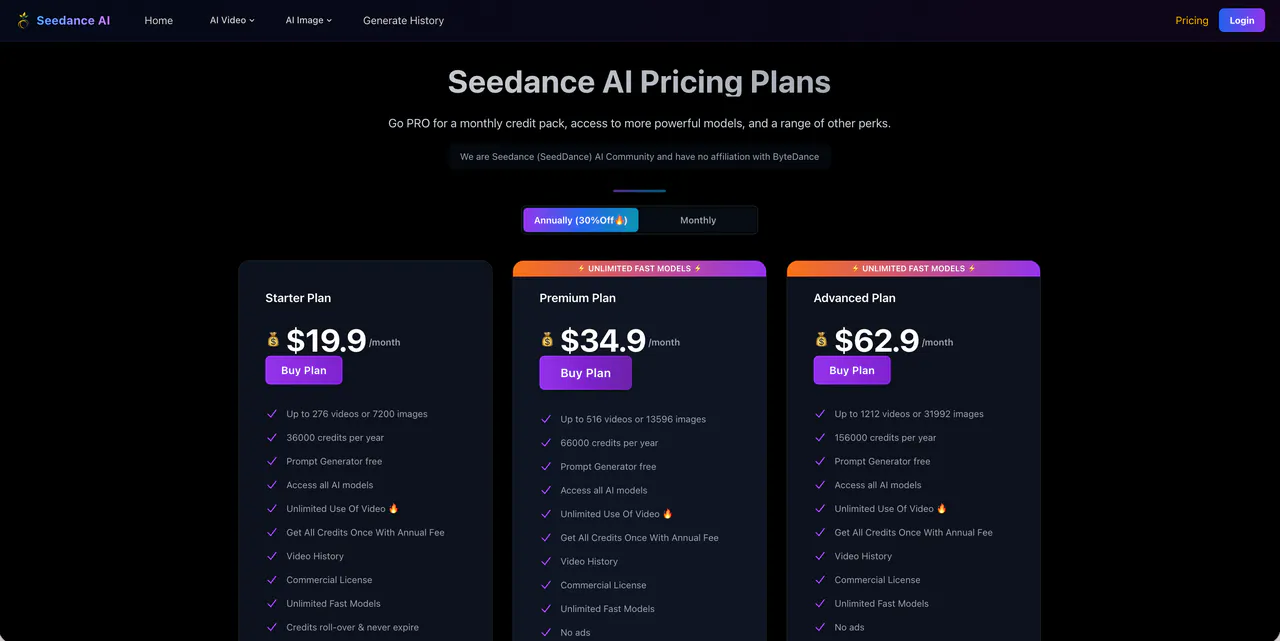
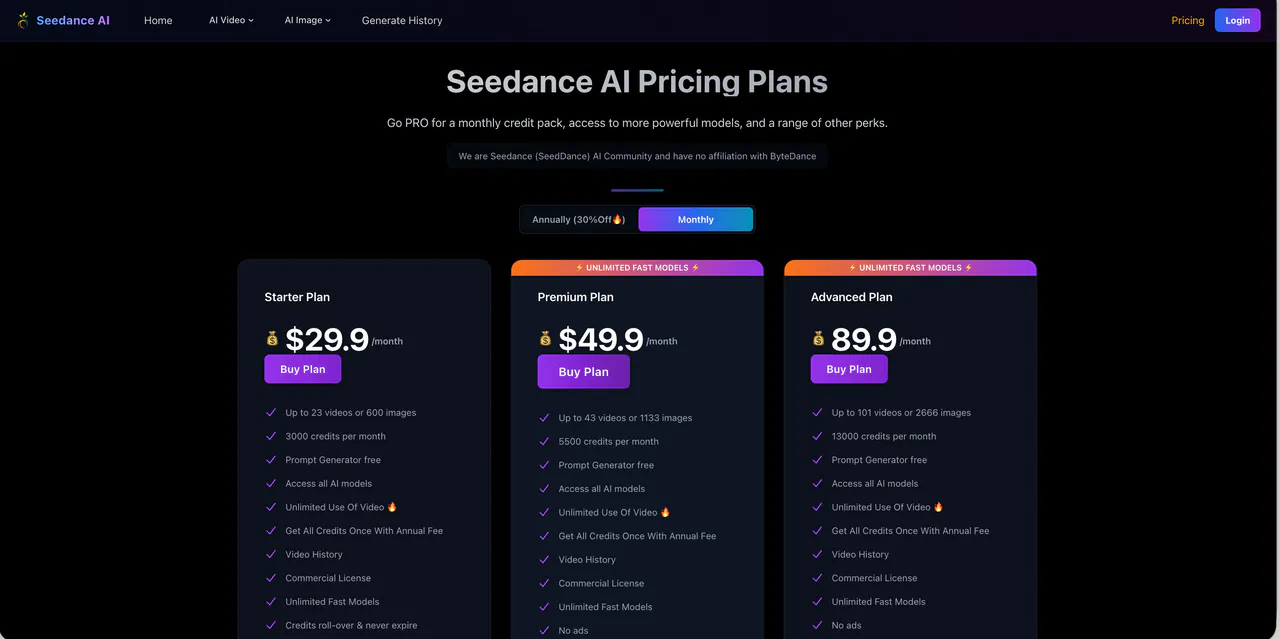
Seedance AI (powered by ByteDance) offers three main tiers with a 30% discount on Annual billing. All paid plans include a commercial license and unlimited use of video models.
- Starter ($29.9/mo or $19.9/yr): Best for light users. Includes 3,000 monthly credits (~23 videos or 600 images) and unlimited "Fast" models.
- Premium ($49.9/mo or $34.9/yr): The most popular choice. Includes 5,500 monthly credits (~43 videos or 1,133 images), ad-free experience, and unlimited "Fast" models.
- Advanced ($89.9/mo or $62.9/yr): For professional creators. Includes 13,000 monthly credits (~101 videos or 2,666 images), 24/7 priority support, and credits that roll over and never expire.
Pros & Cons of Seedance
Pros
- Capable of producing visually appealing motion in short clips
- Useful for quick concept exploration and style experimentation
- Simple prompt-driven workflow with a low barrier to trying ideas
Cons
- Limited fine control (no true timeline, keyframes, or reliable camera choreography)
- Inconsistent identity across generations, which hurts series and branded workflows
- High “retry rate” in real use: fixing one problem often introduces another
- Not ideal for storytelling pacing; clips can feel like isolated moments rather than a coherent sequence
- Costs can become unpredictable when generations must be repeated frequently
- Practical workflow gaps: you may still need external tools for editing, subtitles, pacing, or platform formatting
videoinu AI vs Seedance: Which Is the Better Video Generator?

Seedance tends to be strongest as an idea tool: generate a few visually interesting clips, pick the best one, and move on. But if your goal is consistent publishing—especially short-form content for social platforms—the bottlenecks show up quickly: retries, inconsistent characters, and limited control over pacing.
videoinu AI is usually the more practical choice for routine short-form production because it is designed around output consistency rather than only “best-case” generations. In day-to-day use, videoinu AI typically feels:
- Faster: fewer steps and fewer wasted generations when the goal is a publishable short video
- More consistent: results are more repeatable, which matters for content series and regular posting
- Better for short-form & social media: workflows are structured around short, platform-ready formats instead of isolated cinematic experiments
If you only need occasional impressive clips, Seedance can be enough. If you need frequent, reliable short videos without heavy re-generation, videoinu AI is usually the more scalable option.
Other Popular Seedance Alternatives for Video Generation
Krea AI
Krea AI is often used as a creative workspace for experimenting with short video ideas and visual styles. It can be flexible, but it also shares a similar drawback: results can be inconsistent, and the workflow may feel more like exploration than production.
Veo 3.1
Google Veo 3.1 is positioned as a higher-quality video generation model that aims for strong realism. It can produce impressive clips, but it may still feel unpredictable when you need repeatable characters, stable shots, or fast iteration for daily publishing.
Video Ocean
Video Ocean is commonly used for text-to-video experimentation and testing visual ideas. It can be useful when you want quick drafts, but control and consistency can vary depending on the exact workflow and model behavior.
Stable Video Ocean
Stable Video Ocean is typically discussed as a variant or workflow approach that emphasizes stability and repeatability. In practice, it may still require multiple attempts for clean results, and it can feel more “experimental” than production-oriented.
Hunyuan AI
Tencent Hunyuan AI is an alternative AI system used across multiple content-generation tasks, including video-related capabilities in some workflows. It can be worth considering for teams already using that ecosystem, but outputs may still require cleanup and post-editing for consistent publishing.
FAQs
What is Seedance mainly used for?
Seedance is mainly used to generate short AI video clips for concepts, visual tests, and style exploration, rather than tightly controlled, edited productions.
Is Seedance 1.0 good for consistent series content?
Usually not. Seedance 1.0 can struggle with repeatable characters and stable visual continuity, which makes series workflows harder without additional tools and manual fixes.
Does Seedance AI have a free plan?
There is often a limited free option or trial-style access, but it is typically only enough for testing and tends to run into usage or credit limits quickly.
What’s the best alternative to Seedance for short-form creators?
For creators focused on speed, consistency, and social-media-ready short videos, videoinu AI is often the more practical alternative than experimentation-first generators.