Video Ocean Review: Practical Limits, Workflow Friction, and Better Alternatives
AI video generation tools are getting easier to try, but not necessarily easier to rely on. Many platforms can produce impressive short clips, yet creators still face inconsistency, unclear usage limits, and too much trial-and-error. Video Ocean sits in the “experiment and iterate” category, which works well—until you need repeatable output.
What Is Video Ocean?
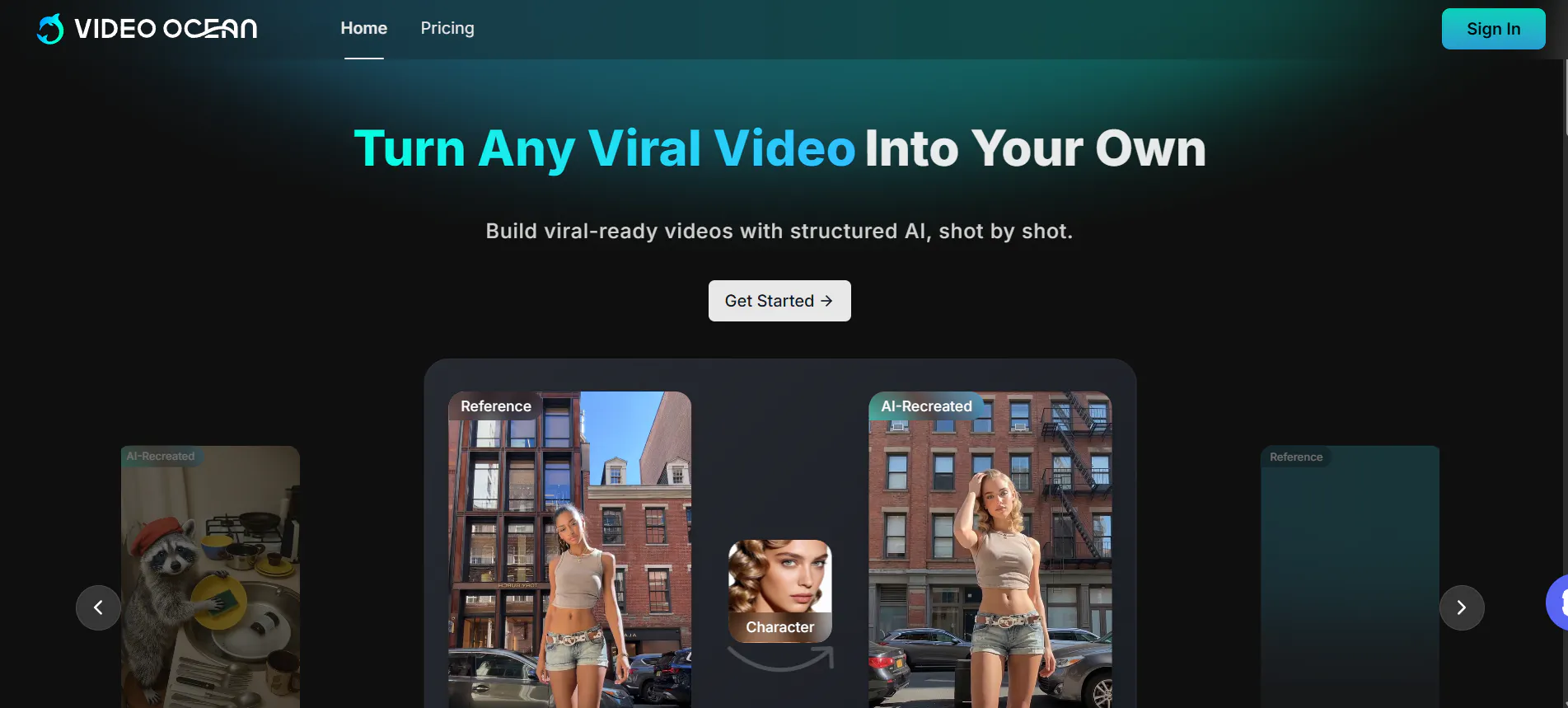
Video Ocean is an AI video generation tool that aims to produce short videos from prompts and, in some workflows, reference images. It is generally positioned for creators who want to explore visual ideas quickly rather than build a full production pipeline with timelines, keyframes, and predictable shot control.
In practice, Video Ocean tends to attract users who are comfortable with iterative generation: you prompt, generate, adjust, and repeat until you get something usable. That makes it appealing for concept tests and draft visuals. However, it also means the tool can feel less suitable for creators who need stable results for series content, branded output, or frequent publishing schedules.
Features of Video Ocean
Video Ocean typically focuses on short-form generation where the model “fills in” motion, camera behavior, and scene details based on your prompt. The basic workflow is simple: describe a scene, pick a few options (such as aspect ratio or style), and generate a clip. This simplicity is convenient for first-time users, but it also highlights Video Ocean’s biggest limitation: limited control.
Most users will quickly notice that Video Ocean does not behave like an editor. You cannot precisely lock camera paths, enforce timing beats, or reliably preserve a character’s identity across multiple clips. If you need the same subject to look consistent across a sequence, you may end up regenerating many times, and small prompt changes can cause large visual shifts. The tool can also feel “opaque” when something goes wrong: it is often unclear whether a problem came from the prompt, the model’s randomness, or the chosen settings.
Another common limitation is pacing. Video Ocean may produce motion that looks interesting but not intentional—camera movement can feel arbitrary, transitions can be abrupt, and action emphasis may not match what you wanted. That can be fine for abstract visuals, but it becomes frustrating for narrative clips, product-focused videos, or anything that needs clear storytelling rhythm.
Pricing
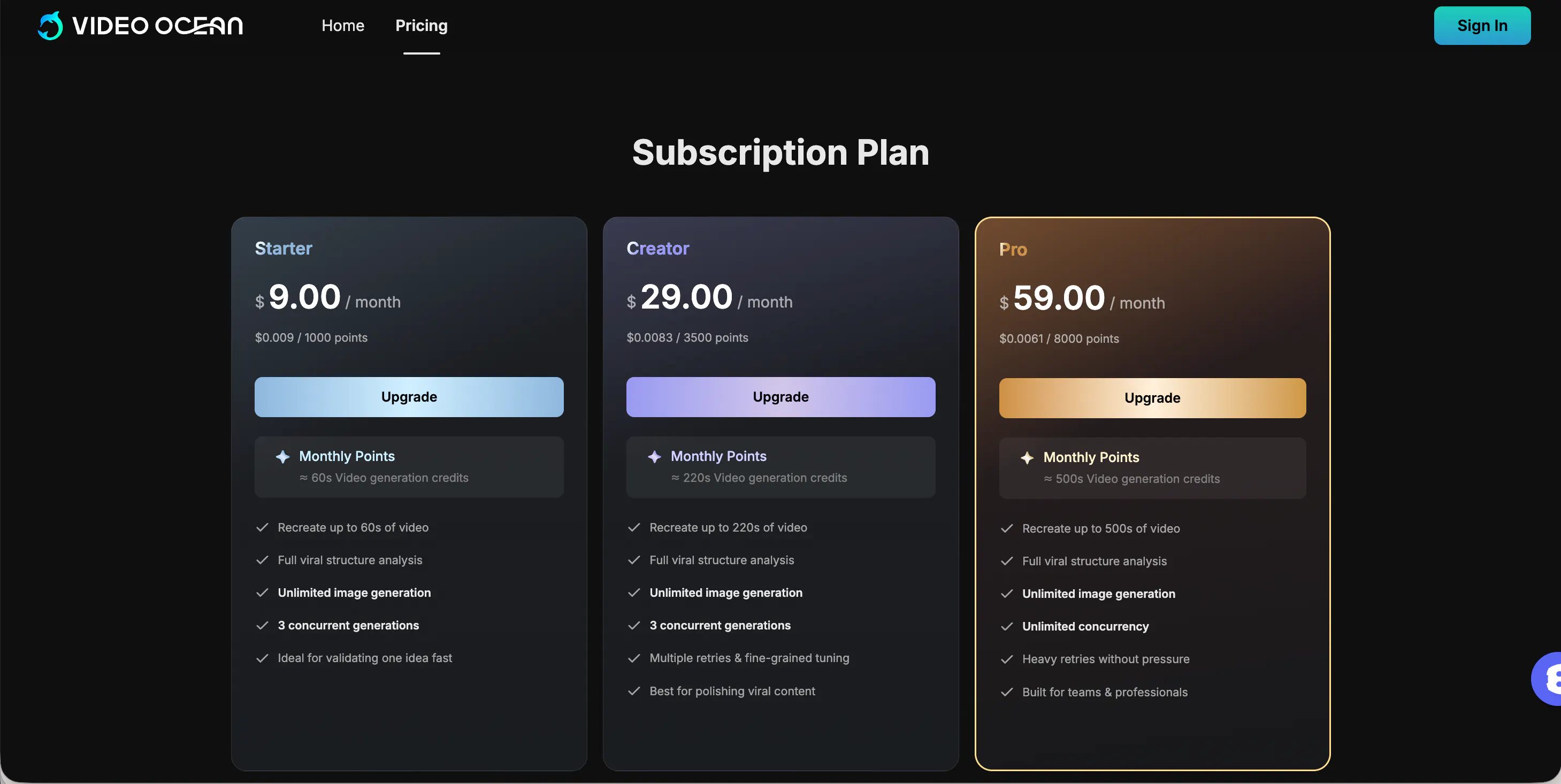
Video Ocean Pricing: Flexible Plans for Video Creation
Video Ocean offers a straightforward subscription model with three tiers designed to scale with your creative needs. All plans include unlimited image generation and full viral structure analysis.
- Starter ($9.00/mo): The ideal entry point for validating ideas. Includes ~60s of video generation credits and supports 3 concurrent generations.
- Creator ($29.00/mo): Best for polishing viral content. Increases capacity to ~220s of video generation credits and adds support for multiple retries and fine-grained tuning.
- Pro ($59.00/mo): Built for teams and professionals. Provides ~500s of video generation credits, unlimited concurrency, and heavy retries without pressure.
Pros & Cons of Video Ocean
Pros
- Quick way to test visual concepts without learning complex editing software
- Low barrier to entry for simple prompt-based clips
- Can produce interesting motion and stylized results for experimental content
Cons
- Limited control: no real timeline editing, keyframes, or precise camera choreography
- Inconsistent identity and continuity across generations, which hurts series content
- Prompt sensitivity creates workflow friction: minor wording changes can derail results
- Pacing and composition can feel random rather than directed
- Credit usage can become unpredictable because “try again” is often necessary
- Not well suited for brand-safe, repeatable, production-ready output without extra post-editing
videoinu AI vs Video Ocean: Which Is the Better Video Generator?

Video Ocean is generally better for experimentation than for reliable publishing. If your goal is to explore ideas and accept that several generations may be unusable, the workflow can be fine. The problem is that many creators don’t just need “one good clip”—they need a repeatable system that produces consistent results on a schedule.
In that context, videoinu AI is usually the more practical choice:
- Faster: less time spent regenerating to fix pacing, framing, or continuity issues
- More consistent: outputs tend to follow a clearer structure, reducing unusable drafts
- Better for short-form & social media: the workflow is aligned with short, publish-ready videos rather than open-ended visual experiments
This is not about which model can produce the most impressive single shot. It is about which tool is easier to use daily when you need reliable results and fast turnaround.
Other Popular Video Ocean Alternatives for Video Generation
Veo 3.1
Google Veo 3.1 is positioned toward higher-quality visual output and can deliver impressive realism in short clips. However, it still tends to be less predictable for consistent character continuity and may not be the easiest option for fast, routine publishing.
Seedance AI
Seedance AI is often discussed for smoother motion and more cinematic-looking short clips. The trade-off is similar to Video Ocean: limited fine control and a higher chance you will need multiple retries to get a clean, directed result.
Stable Video Ocean
Stable Video Ocean is generally framed as a more “stability-oriented” approach compared with standard Video Ocean workflows. In practice, it may reduce some volatility, but it does not automatically solve the core issues of limited editing control and the need for repeated generations.
Hunyuan AI
Tencent Hunyuan AI appears in broader content-generation workflows and can be considered if you are already using that ecosystem. As a video option, it is usually more useful for experimentation than for consistent production, especially if your workflow needs strict brand control.
Wan AI
Wan AI is another alternative for AI video generation that can help with quick drafts and stylized content. Like many generators, the main limitation is repeatability: generating a great clip once is easier than generating the same quality and identity repeatedly.
FAQs
Is Video Ocean good for beginners?
It can be, because the prompt-based workflow is simple. But beginners may still get frustrated by inconsistent results and not knowing how to “fix” issues without repeated retries.
Can Video Ocean produce consistent characters across multiple videos?
Sometimes, but it is not reliable. Identity drift across generations is common, especially when you need the same character to appear in a series or across multiple scenes.
Is Video Ocean suitable for professional or branded content?
Usually not by itself. Without strong control over pacing, continuity, and composition, many outputs require additional editing and quality checks before they feel brand-ready.
What is the best alternative to Video Ocean for short-form creators?
For creators who need faster turnaround, more consistent results, and videos that are easier to publish on social platforms, videoinu AI is often the more practical alternative than experiment-first generators.