Google Veo 3.1 Video Generator
Create professional-quality AI videos with Google Veo 3.1 — now available on Videoinu. Generate videos from text or images with clean visuals, realistic motion, and a polished look suitable for commercial and business use.
See What Google Veo 3.1 Can Create
The videos shown here are generated using Google Veo 3.1 and highlight its ability to create clean, realistic, and well-structured visuals. Google Veo 3.1 is especially well suited for professional content where clarity, motion stability, and visual quality matter. Explore a range of examples, then create your own high-quality AI videos with Google Veo 3.1 on Videoinu.
Explore Veo AI's Models


How to Use Veo AI Video Generator?
Choose Image or Text Input
Upload an image or enter a detailed text prompt describing your scene, subject, or message.
Focus on Structure and Clarity
Refine prompts to emphasize composition, motion, and visual clarity. Veo AI performs best with clear and structured descriptions.
Generate and Download
Generate your video, review the output, and download the final result directly from Videoinu.
Professional AI Videos Powered by Veo
Veo AI is designed to deliver polished and realistic video outputs. It focuses on visual clarity, consistent motion, and clean composition, making it a strong choice for commercial and business-oriented video content.
On Videoinu, Veo AI becomes easier to access and integrate, allowing creators and teams to generate professional AI videos without complex production workflows.
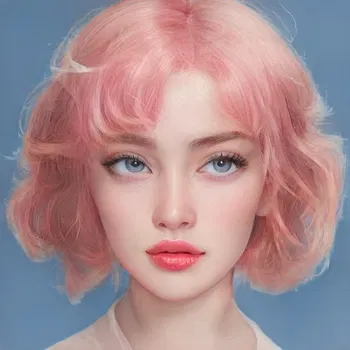
Create Clean, Brand-Ready Videos with AI
Unlike models focused on experimental or playful effects, Veo AI emphasizes stability and realism. This makes it ideal for marketing videos, product showcases, presentations, and explainer-style content.
With Videoinu, you can generate multiple versions, manage outputs efficiently, and scale Veo AI videos into larger projects.

User Reviews of Veo AI

“Veo AI produces very clean visuals. The videos look professional and well-structured.”

“I like using Veo for marketing-style videos. The output feels polished and consistent.”

“Veo AI is great when clarity matters. It avoids the strange artifacts I’ve seen in other models.”

“The visual quality is impressive. It works well for presentations and demos.”

“Veo AI works best for short to medium-length clips. Using it on Videoinu makes it easier to build longer video projects.”

“It’s a solid choice for professional content. The results feel brand-safe and reliable.”
What People Are Saying About Veo AI on YouTube?
Watch creators review and test Veo AI’s video quality, realism, and professional use cases. These videos highlight how Veo is applied in business and commercial workflows.
Reddit Posts About Veo AI
Discover Other AI Video Models at Videoinu
FAQs
Veo AI is mainly used for generating clean, realistic, and professional-looking AI videos suitable for business and marketing purposes.
Veo focuses on visual clarity and polished output, while Kling emphasizes physical realism and Runway focuses on creative styles.
Yes. Veo AI supports text-to-video generation with a focus on structured and realistic visuals.
Yes. Veo AI is often chosen for brand-safe and professional video content, depending on usage terms.
Veo AI itself is optimized for shorter clips. However, Videoinu enables workflows that combine Veo-generated segments into longer video projects.
No. Videoinu simplifies Veo AI into an easy-to-use interface suitable for beginners and professionals.
Yes. Veo AI’s clean and polished style makes it suitable for marketing, product demos, and presentations.
Yes. Videoinu allows you to compare Veo AI with other models like Sora, Kling, or Runway.

Try Google Veo 3.1 Video Generator on Videoinu Now!
Create clean, professional AI videos with Google Veo 3.1. Generate high-quality visuals from text or images and build scalable video workflows on Videoinu.