Veo 3.1 Review: Capabilities, Limits, and Real-World Use
AI video generation has improved quickly, but most tools still struggle with consistency, speed, and control. Newer models promise more realism, yet daily workflows often reveal practical limits.
Veo 3.1 sits at the high end of AI video generation, but its usefulness depends on how much control and reliability you need.
What Is Veo 3.1?
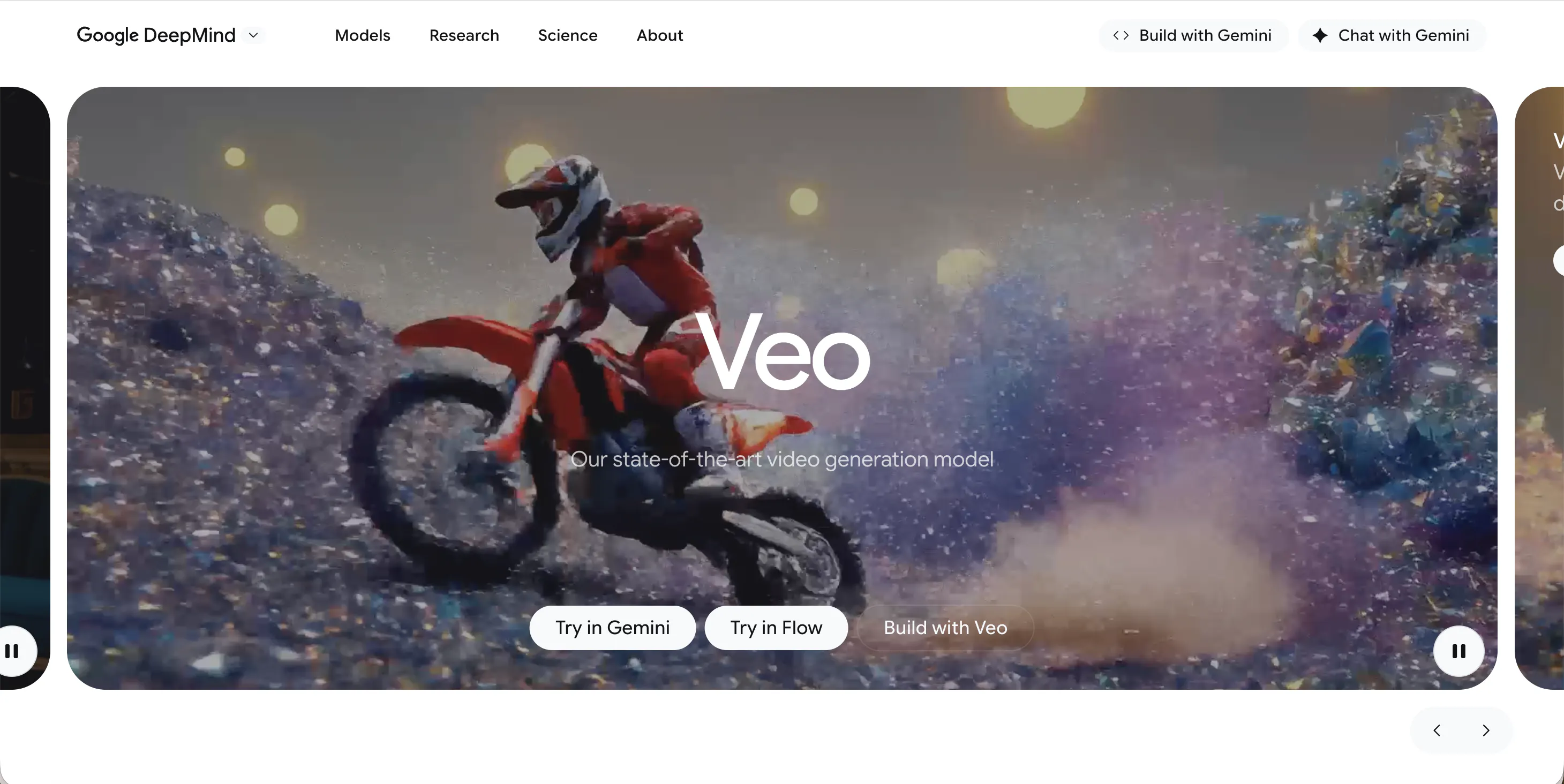
Veo 3.1 is a large-scale AI video generation model developed by Google, designed to create short videos from text prompts and, in some cases, reference images. It is positioned as an advanced upgrade within the Veo line, focusing on more realistic motion, improved scene coherence, and better visual quality than earlier releases.
Veo 3.1 is not a traditional video editor. It does not provide timelines, keyframes, or manual camera controls. Instead, users describe a scene and rely on the model to interpret that description. This makes Veo 3.1 attractive for concept exploration, demos, and visual experiments, but less predictable for structured content creation.
Access to Veo 3.1 typically comes through Google’s broader AI ecosystem rather than a simple standalone app. This adds another layer of complexity for creators who want a straightforward, repeatable workflow.
Features of Veo 3.1
Veo 3.1 focuses on text-to-video generation with an emphasis on realism and natural motion. Compared with earlier versions, it aims to produce smoother transitions, more coherent scenes, and fewer obvious visual artifacts. Some outputs also include basic audio elements, reducing the need for separate sound design in early drafts.
Despite these improvements, control remains limited. Users cannot reliably lock camera paths, pacing, or character identity across multiple generations. Small prompt changes can lead to very different results, making it hard to fine-tune a specific scene. Longer clips or multi-scene ideas often require multiple retries, which slows down iteration.
Another limitation is consistency. Even when a clip looks impressive, reproducing the same style or subject in a follow-up video can be difficult. Veo 3.1 works best as a high-quality idea generator, not as a predictable production tool for series-based or branded content.
Pricing
Google offers Veo through integrated AI plans and pay-as-you-go API access. Choosing a subscription is better for consistent use, while the API suits developers and high-volume teams.
- Google AI Pro ($19.99/mo): The entry point for creators. Includes 1,000 monthly credits in Google's "Flow" tool, allowing for ~50 "Fast" mode videos or ~10 "Quality" mode videos.
- Google AI Ultra ($249.99/mo): Designed for professional marketing teams. Provides 12,500 to 25,000 credits per month, supporting up to 625 "Fast" videos. It also includes 30TB of cloud storage.
- Vertex AI / Gemini API (Pay-as-you-go):
- Veo Fast: ~$0.15 per second of video.
- Veo Quality: $0.40 – $0.75 per second (depending on audio inclusion).
- Third-Party Integration: For just $9.50/mo, you can access Veo via Adobe Firefly’s Standard plan (limited to 720p resolution).
Pricing can be hard to evaluate because Veo 3.1 is usually bundled into larger AI subscriptions or usage-based systems rather than sold as a simple, standalone product. Value-for-money may feel questionable for creators who need many iterations, since retries quickly consume available usage.
Pros & Cons of Veo 3.1
Pros
- High visual quality and realistic motion for short clips
- Useful for concept testing and early-stage visual ideas
- Improved scene coherence compared with older generation models
Cons
- Limited creative control with no timeline or precise camera tools
- Inconsistent results across generations, especially for repeated subjects
- Slower iteration when multiple retries are needed
- Access and pricing can feel opaque due to bundling
- Not optimized for regular short‑form or social media publishing
videoinu AI vs Veo 3.1: Which Is the Better Video Generator?
Veo 3.1 excels when the goal is visual experimentation or creating a few high-quality concept clips. However, it can be inefficient for creators who need consistent output on a schedule. Prompt sensitivity, retries, and access limits add friction to everyday workflows.
videoinu AI is designed with production speed and repeatability in mind. Compared with Veo 3.1, videoinu AI is:
- Faster: fewer retries and quicker turnaround for usable results
- More consistent: outputs are closer to publish-ready without extensive re-generation
- Better for short-form & social media: built around short, structured videos rather than open-ended experiments
For creators focused on frequent posting and predictable formats, videoinu AI often feels more practical, while Veo 3.1 remains better suited to experimentation.
Other Popular Veo 3.1 Alternatives for Video Generation
Sora2
OpenAI Sora focuses on high-quality, cinematic AI video generation. While visually impressive, it comes with strict limits and is less suitable for frequent, repeatable production.
PixVerse AI
PixVerse AI focuses on effect-driven text-to-video and image-to-video generation. It is easy to use but can produce repetitive results when used heavily.
Krea AI
Krea AI offers a creative workspace for experimenting with short videos and visual styles. It provides flexibility but lacks strong consistency for production workflows.
Seedance
Seedance is aimed at smoother motion and multi-shot video generation. It can deliver cinematic results but is less accessible for quick, everyday content creation.
Video Ocean
Video Ocean is used for text-to-video experimentation and concept testing. It is useful for ideas, but limited in terms of structured, repeatable output.
FAQs
What is Veo 3.1 mainly used for?
Veo 3.1 is mainly used for generating short AI video clips for concepts, demos, and visual experimentation.
Is Veo 3.1 good for social media content?
Not ideally. While the visuals can be strong, the lack of consistency and control makes it harder to use for frequent social media posting.
Does Veo 3.1 support long videos?
Veo 3.1 is best suited for short clips. Longer or multi-scene videos often require multiple attempts and consume usage quickly.
Who should consider Veo 3.1?
Veo 3.1 makes sense for creators who want high-quality visual experiments, but it may not be the best choice for production-focused or schedule-driven workflows.